The Powder Toy
The Powder Toy
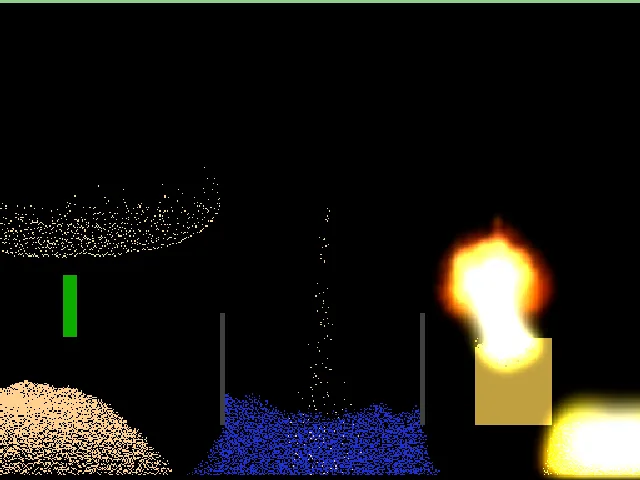
Mix almost 200 elements in the original falling-sand physics sandbox. Melt metal, wire circuits, set off explosions and watch heat, pressure and gravity at work.
How to start
Pick an element from the categories on the right, then draw on the board. There is no goal: build anything and see how it reacts. Try SAND above WATR, METL touched with SPRK, or WOOD next to FIRE. On a phone, turn it sideways and use Fullscreen.
Original C++ simulation compiled to WebAssembly · about 6 MiB, loads only after Play
Saves
Use the game's Save button (bottom left) to keep a scene on this device; Open lists your local saves. Saves and settings are stored in this browser's IndexedDB and written again on Stop. Online saves, sign-in and the save browser are switched off in this edition, so nothing is uploaded. Clearing site data removes local saves.
How to play The Powder Toy
Pick an element from the categories on the right, then draw on the board. There is no goal: build anything and see how it reacts. Try SAND above WATR, METL touched with SPRK, or WOOD next to FIRE. On a phone, turn it sideways and use Fullscreen.
Controls
Left mouse or touch draws the selected element; right mouse erases. The mouse wheel or the [ and ] keys change brush size, Tab (or the Brush shape key) changes its shape. Space pauses the simulation and F advances one frame. Hold Z to zoom. The bottom bar clears the board, switches display modes and opens settings. Show keys gives phones the same shortcuts. Keyboard focus leaves the board with Tab; Page Pause freezes the game.
Tips
- Pause with Space before building something delicate, then unpause to watch it work.
- The rainbow button at the bottom right switches display modes, including a heat view; watch LAVA cool into stone and ICE melt near warm elements.
- Electronics: draw a METL wire, add a PSCN/NSCN switch and touch it with SPRK to send a pulse along it.
Credits
The Powder Toy was created by Stanislaw K Skowrenek and is developed by Simon Robertshaw, jacob1 and many contributors. The full list is in the game's Credits screen. Leaf Arcade builds it from the official source for offline browser play. License and credits · Source code.