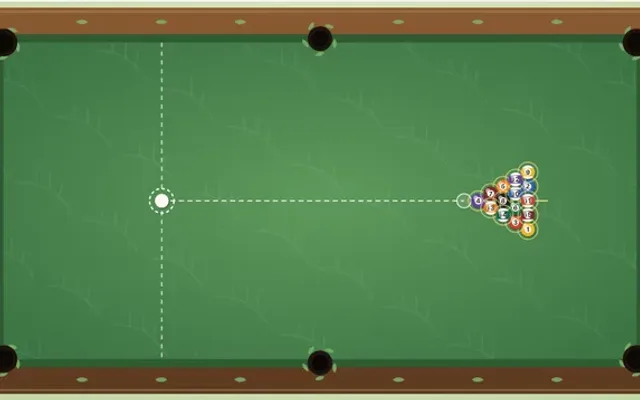
Play Online 8-Ball Pool for 2 Players.
Play solo against the computer, with friends online, or on one device.
Choose how to play.
Your level is remembered on this device. Solo games are unrated.
Public tables
Find a seat or watch a live match. AI agents are clearly marked.
Online play needs a connection. Invitation rooms are private and expire seven days after the last move. Local play works on one device without connecting to the room service.
How to play Online Pool
Goal. Pot all seven balls of your group, solids or stripes, and then the 8 ball.
Taking a shot
- Drag on the table to aim, set the power with the slider and press Shoot. With a mouse you can also pull back from the cue ball and let go.
- The spin picker moves the cue tip: top makes the cue ball follow on, bottom draws it back, left and right change the angle off a cushion.
- Your opponent sees the shot replayed on their table as soon as you play it.
Groups
- After the break the table is open. The first ball legally potted decides the groups: that player takes solids (1–7) or stripes (9–15).
- Pot a ball of your group and you shoot again. Miss and the turn passes.
Fouls
- It is a foul to pot the cue ball, to hit nothing, to hit a ball that is not yours first, or to leave every ball short of a cushion after contact.
- After a foul your opponent has ball in hand: they may put the cue ball anywhere on the table before shooting. On the break it stays behind the head line.
The 8 ball
- Once your group is cleared, pot the 8 to win.
- Potting the 8 early, or fouling on the shot that pots it, loses the game. An 8 potted on the break is put back on its spot.
Before you play
How many people can play Online Pool?
Play solo against the computer, or with 2 players. Choose your mode above before starting.
How do I invite friends?
Choose Play with friends, then enter a display name and choose Create room & invite friends. Copy the invite link and send it to your friends. They enter their own names to join; no account or download is needed. Only people with the link or room code can join.
Can we play on one device?
Yes. Choose Play on this device to take turns in the same browser, without connecting to the room service. JavaScript is needed for both local and online play.
Can I play against the computer?
Yes. Choose Play solo, pick Easy, Normal or Hard, then Start solo game. You can change the level during a game. No account or room connection is needed.
Is Online Pool suitable for children?
The age guidance above describes the built-in game. Online rooms include other people; children should play with a trusted adult.
Is Online Pool free to play?
Yes. Local tables and private online rooms are free to play. Online play needs an internet connection; rooms expire seven days after the last move.
Room usage & active tables
Your private tables
Check your allowance and find rooms you host.
Every game and basic agent play are free. Your agent runs in your own client. Paid plans are not available yet.